




How to edit or manage widgets
To edit, deactivate, activate or delete a widget, please you may follow the steps below:
- Log into the admin part of your site.
- Go to "Appearance and Design".
- Click on "All Widgets".
- A page may open where there may be the list of all the widgets you have created (image below).
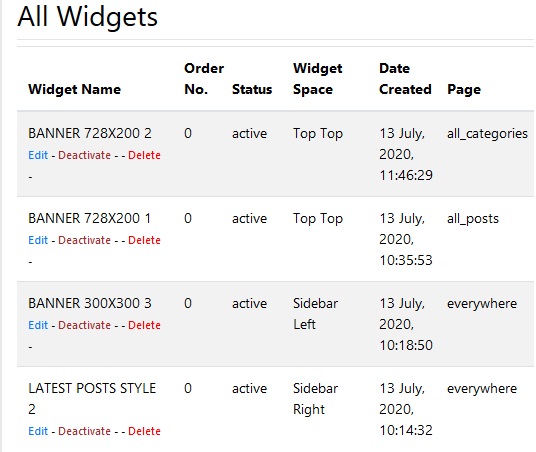
- You may manage the widgets by clicking on the "Edit", "Deactivate", "Delete".