




How to place classifieds ads that are promoted as FEATURED on your site
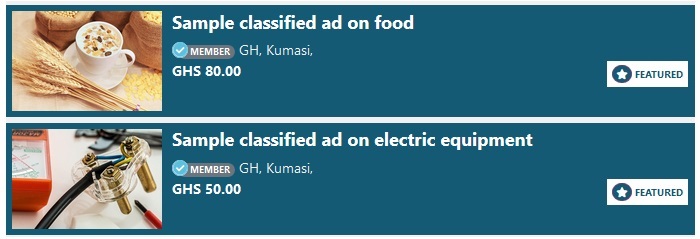
To place on your site classified ads that are promoted as "FEATURED", you may follow the steps below:
- Log into the admin part of your site.
- Go to "Appearance and Design".
- Click on "Create Widgets".
- A page may open where you may see a list of widget types (image below).
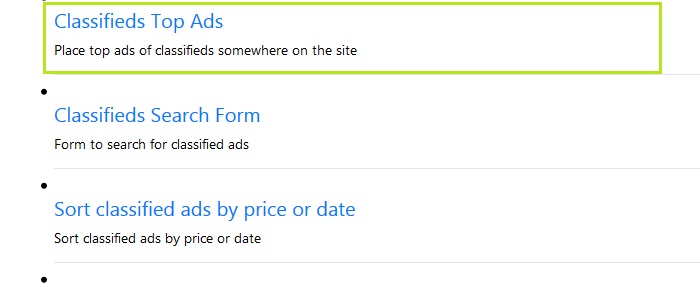
- Click on "Classified Top Ads".
- A page may open where you may fill a form to create widget for the Top Ads or the FEATURED ads.
- Fill the form fields.
- Widget Space: in form, at the field labelled, "Widget Space", select the space on your site where the FEATURED ads may be placed.
- Appear on which page?: at the field labelled, "Appear on which page?" select the pages on which the FEATURED ad may appear.
- Click on the "Submit" button to create the FEATURED ads widget.
- You may now check the public part of your site, on the pages where you selected for the FEATURED ads to appear.
- If some of your site users have promoted their ads as FEATURED ads, then the FEATURED ads are to appear where on the pages you placed them.
NOTE: Only two (2) FEATURED ads may show at a time at random
- The maximum number of FEATURED ads to show at one location on your site is two (2).
- The FEATURED ads show at random anytime the page is refreshed or opened.
- NOTE: if the ad's promotion as FEATURED has expired, then it is not to appear as FEATURED.